How Automating Repetitive Admin Tasks Removes Bottlenecks and Accelerates Client Delivery
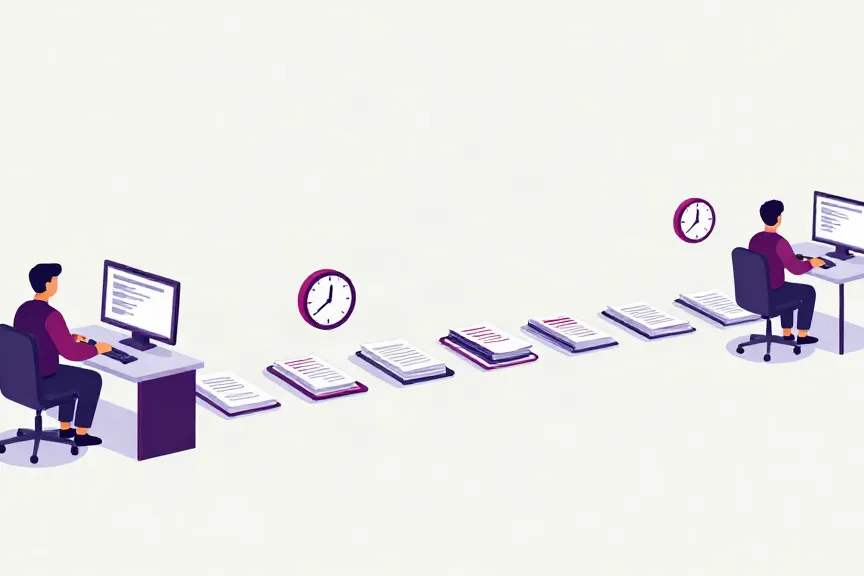
Client work rarely slows down because the professional advice is hard. It slows down because of everything that happens around it – the intake form that has to be rekeyed, the status update nobody has time to send, the document that sits in an inbox waiting to be filed. These repetitive administrative tasks are small on their own, but they stack up into a queue that every client eventually feels.
Automating that repetitive admin is one of the most direct ways a UK professional services team can bypass those bottlenecks and get results into clients’ hands significantly faster. Not by working harder, but by removing the manual steps that stand between a request and a delivered outcome.
This guide sets out where bottlenecks actually form, which tasks to automate first, and how to run the change so delivery speed improves in a way you can measure.
Why admin bottlenecks are so hard to see
Most teams can name their busy periods but struggle to name the queue. That is because administrative bottlenecks hide inside processes rather than in people. They appear as:
- Rework loops – the same client detail typed into a CRM, then a matter file, then a spreadsheet.
- Handover gaps – work sitting with no owner while it waits for the next person to pick it up.
- Chasing overhead – time spent requesting documents, confirming appointments or following up on missing information.
- Reporting drag – status updates and internal summaries assembled by hand, late in the day, from multiple sources.
Individually, none of these looks urgent. Collectively, they add days to a client’s turnaround – and the client sees only the delay, not the cause.
The repetitive tasks that create the worst bottlenecks
Bottlenecks usually cluster around a handful of high-volume, rules-based tasks. These are the ones worth automating first, because they repeat often, follow predictable rules and touch almost every client engagement:
- Client intake and data capture – turning enquiries into structured records without manual rekeying.
- Document handling – sorting, naming, extracting key fields and filing documents into the right place.
- Scheduling and reminders – bookings, confirmations and follow-ups for meetings and deadlines.
- Status updates – routine client communications that confirm progress without a person writing each one.
- Reporting and reconciliation – pulling figures from several systems into a single, consistent summary.
- Triage and routing – reading an incoming message and sending it to the right person with the right context.
If a task is repetitive, rules-based and consumes a disproportionate share of a skilled person’s day, it is a candidate for an AI agent.
A step-by-step approach to automating the bottlenecks
Automation succeeds when it is aimed at a specific queue rather than applied as a general ambition. The following sequence keeps the work focused and measurable.
Step 1: Map the client journey and find the queue
Walk one common engagement end to end – from first enquiry to delivered result – and mark every point where work waits. The longest wait is your bottleneck, and it is almost always administrative rather than technical.
Step 2: Quantify the repetitive task
For the task feeding that queue, estimate how often it happens, who performs it and how long it takes. You do not need precision; you need enough to prove the case and to compare before and after.
Step 3: Start with one high-volume, rules-based task
Resist automating everything at once. Pick a single task that repeats constantly and follows clear rules – data entry, document filing or appointment reminders are strong starting points – and automate it thoroughly.
Step 4: Connect the systems it touches
The value compounds when the automated task reads from and writes to the systems your team already uses. An AI agent that captures client data once and flows it into your CRM, case management or job system removes the rework loop entirely, rather than moving it somewhere else.
Step 5: Keep a person in the loop where it matters
Automation handles the repetitive work; your team keeps judgement, relationships and oversight. Design the process so that anything unusual, ambiguous or high-stakes is escalated to a person with the context already assembled.
Step 6: Measure delivery time, not just hours saved
The clearest proof is time to delivery. Track how long it takes to respond to an enquiry, turn around a document or complete a standard engagement before and after automation. Efficiency gains matter internally, but speed to the client is what drives satisfaction and repeat work.
What changes for the client
When the repetitive admin is handled automatically, the client-facing experience improves in ways that are easy to describe and hard to fake:
- Faster turnaround. Requests move through the pipeline without waiting on manual steps, so results arrive sooner.
- Fewer errors. Details captured once and reused consistently reduce the mistakes that cause rework and delay.
- Always-on responsiveness. Enquiries and routine questions can be acknowledged immediately, even outside office hours.
- Consistent communication. Clients receive clear, timely updates rather than silence while their work sits in a queue.
For sectors with heavy administrative loads – legal, accountancy, logistics and construction – this is often the difference between a team that scales and one that plateaus.
Common pitfalls to avoid
Automation pays back quickly when it is scoped well and disappoints when it is not. Watch for:
- Automating a broken process. Fix the workflow before you automate it, or you will simply accelerate the wrong steps.
- Chasing volume over value. The busiest task is not always the one that delays clients most.
- Leaving the human out. Removing oversight from high-stakes work creates risk faster than it creates speed.
- Declaring success too early. Without a delivery-time baseline, you cannot show the improvement that justifies the next step.
Delivering faster without adding headcount
Automating repetitive administrative tasks is not about replacing people – it is about removing the friction that stops capable teams from delivering. By targeting the queues that delay client work, connecting the systems involved and keeping people in the loop where judgement matters, organisations bypass their bottlenecks and hand results to clients significantly sooner.
Elvra AI Solutions builds AI Optimisation Assistants, AI Enquiry Assistants and AI Customer Voice Assistants that automate the repetitive workflows behind slow client delivery – so your team can spend its time on the work clients actually value.